The integration and use of different storage classes (e.g. disk and tape) in the infrastructure offers economic as well as technical and ecological advantages. Inactive data, i.e. data that is only used very rarely, should not be stored on hard disk-based storage systems, but should instead be automatically transferred to more cost-effective tape-based systems.
With the “Auto-Tiering” function, Cloudian HyperStore object storage offers the option of policy-based data transfer directly to tape with the help of PoINT Archival Gateway. The transparent access via HyperStore is completely preserved, so that no adaptation of applications and workflows is required. In addition, PoINT Archival Gateway can also be used to access outsourced data.
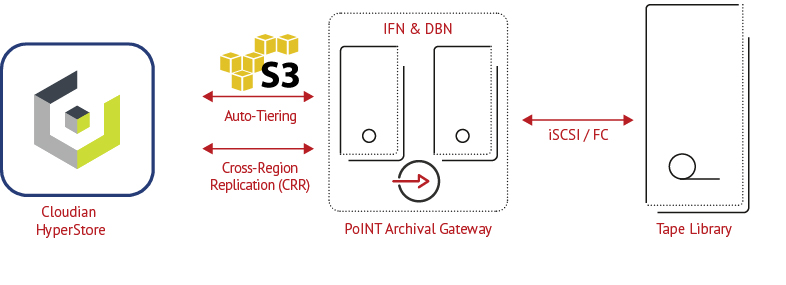
This article describes the basic configuration and functionality of the Cloudian Auto-Tiering feature in combination with PoINT Archival Gateway for data transfer from Cloudian HyperStore to tape.
PoINT Archival Gateway Settings
In order to perform tiering to tape, a tape library must be configured in PoINT Archival Gateway. A partition of the “Tape” storage class must be created in the Admin GUI:
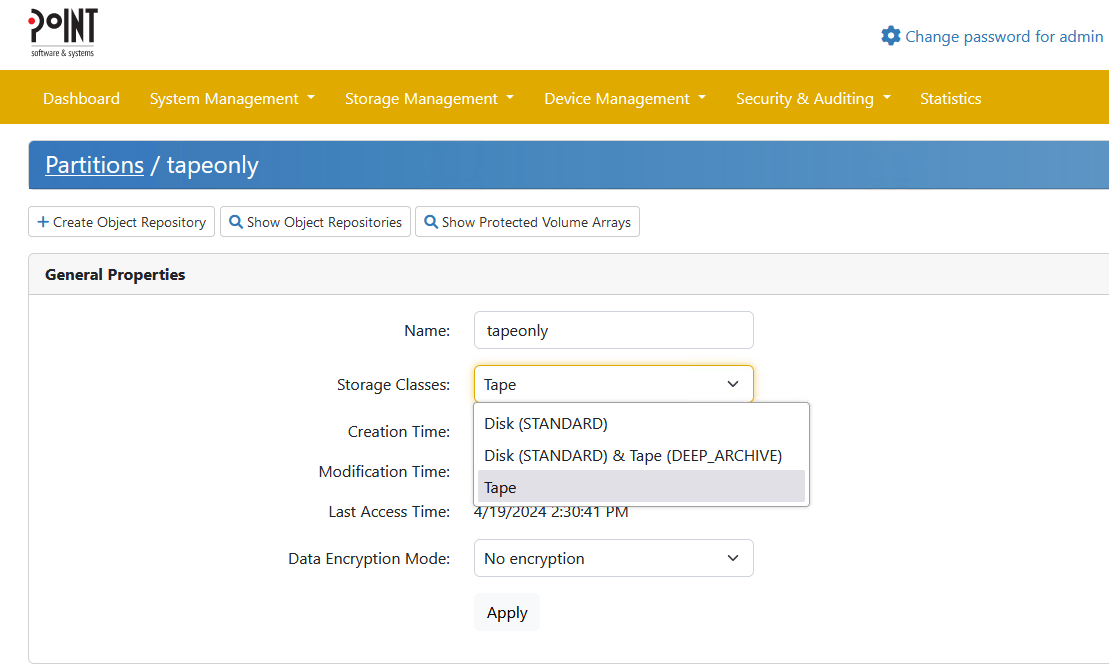
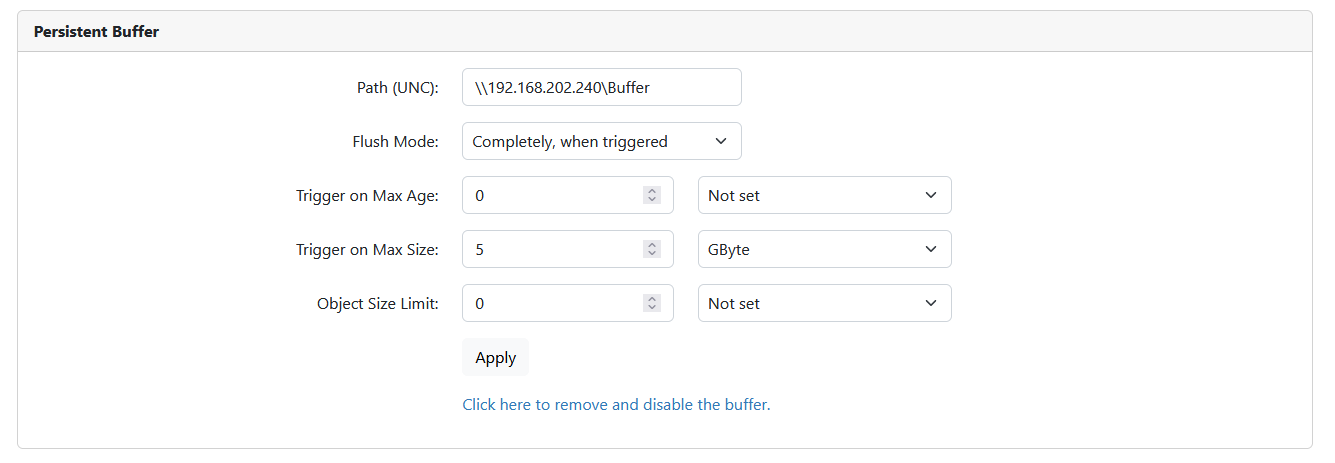
If tiering is to be carried out with many very small objects, it is recommended to also configure a persistent buffer.
A bucket (object repository) can then be created in this partition, which serves as the target for automatic tiering. The creation of buckets is explained in the blog article “Bucket Creation in PoINT Archival Gateway”. Optionally, versioning can be activated. In addition, a user including S3 access key and S3 access secret must be created.
6. The following dialog informs you that after an upgrade a new license key must be entered. Have your new license key at hand.
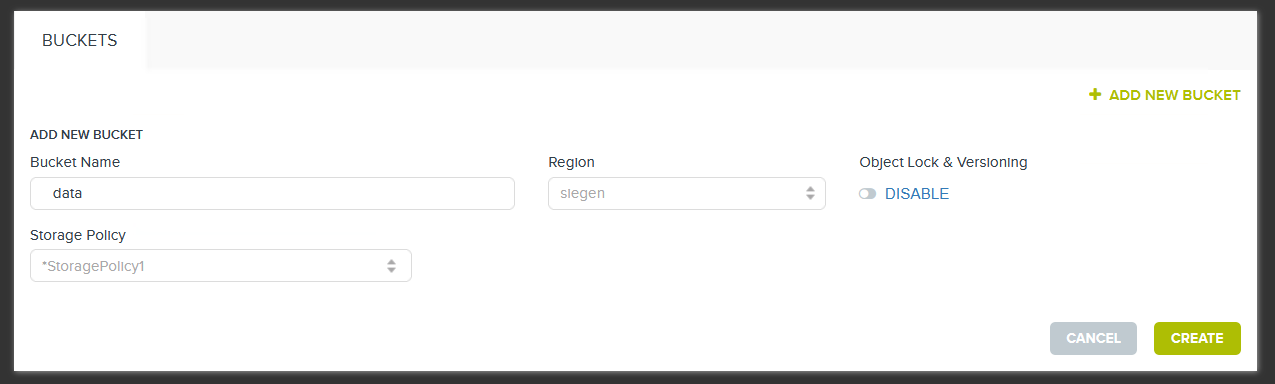
Then create a new bucket:
Next, click on “Properties” and select the “Lifecycle Policy” tab:
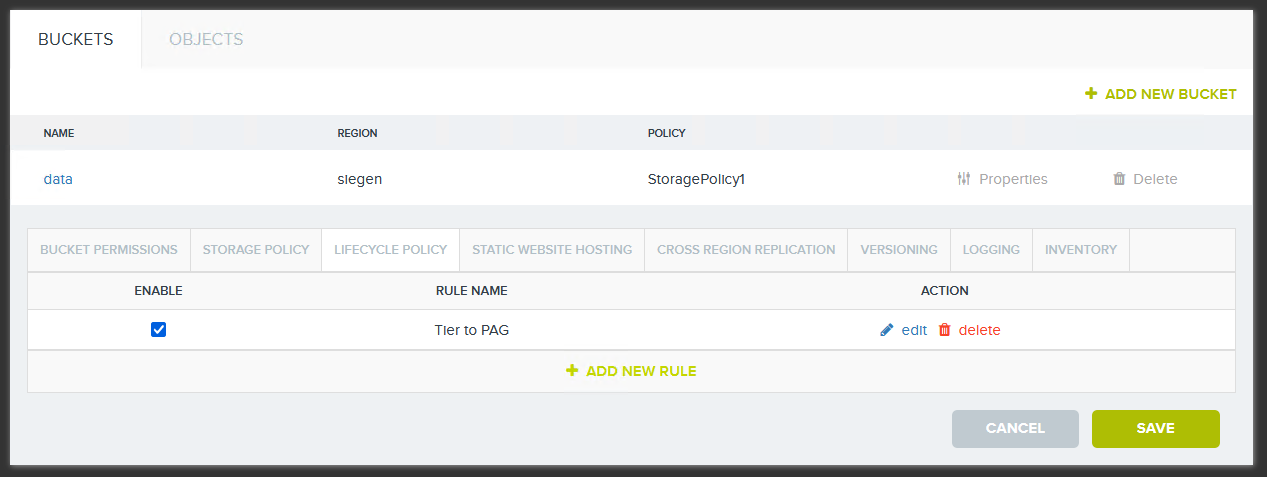
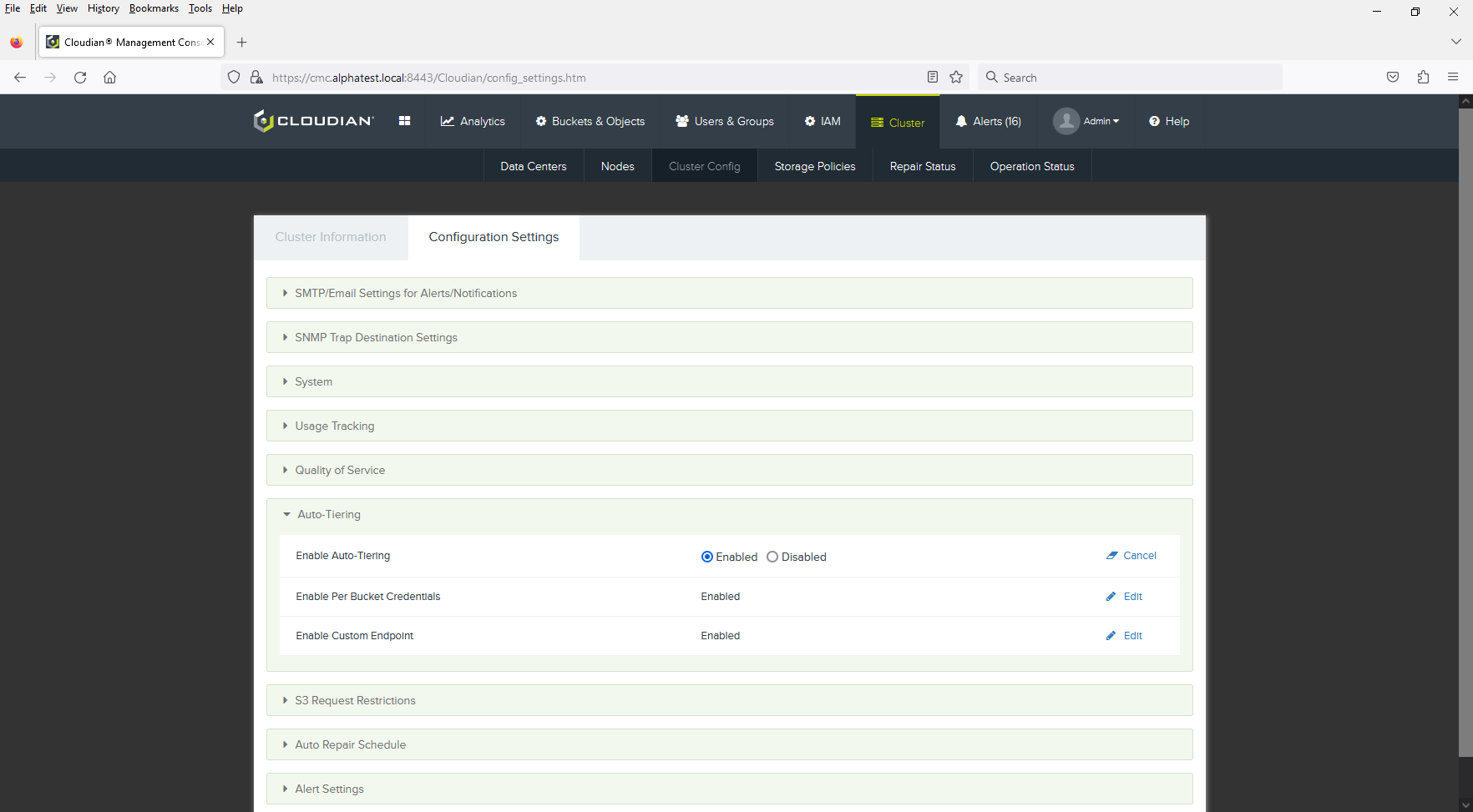
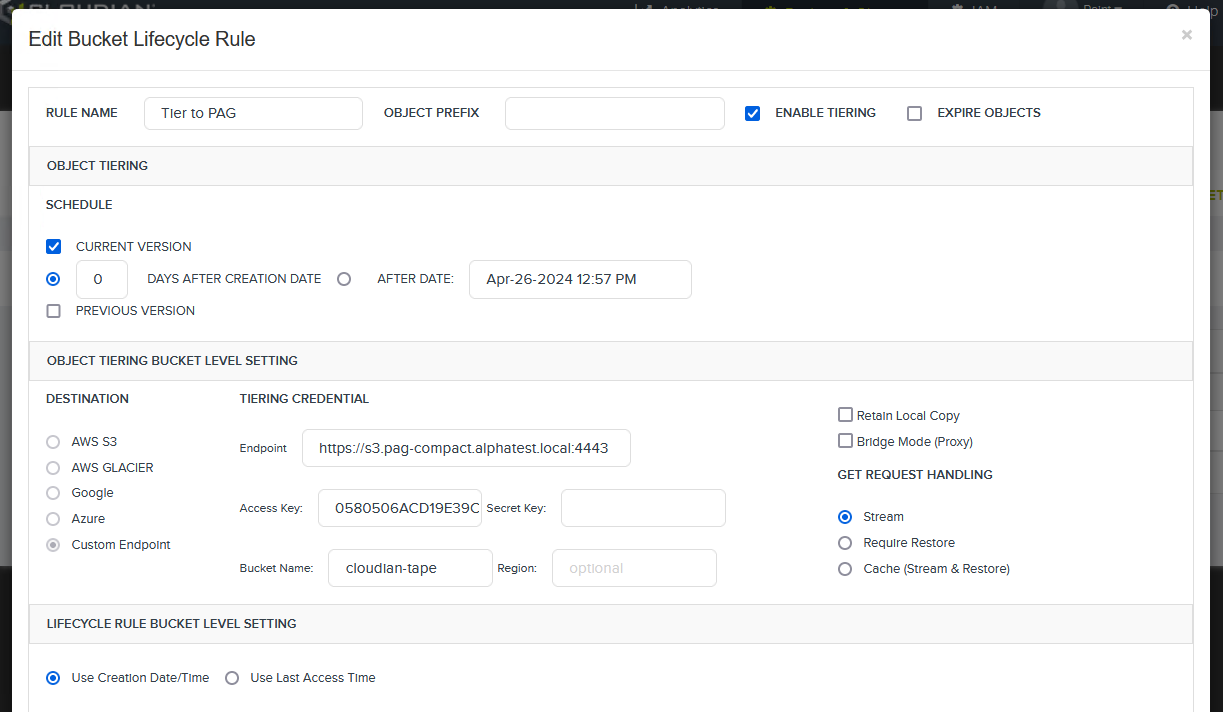
In HyperStore, auto-tiering is managed via so-called lifecycle policies and can be set for each bucket:
If an object has fulfilled the tiering requirement and the tiering has been carried out from HyperStore to tape, a small stub object remains on the HyperStore cluster. This stub object serves as a pointer to the actual data that is managed by PoINT Archival Gateway and stored on tape media.
In the HyperStore GUI, this stub object is displayed with a small blue arrow pointing to the right:

For applications and users, visibility of and access to objects that have been moved to tape are completely transparent.
There are various options for accessing objects that have been moved to tape with the help of PoINT Archival Gateway:
- Streaming
In this setting, the data is delivered directly from tape via the HyperStore bucket to the accessing client with the help of PoINT Archival Gateway, without the data being restored to the HyperStore cluster. - Restore
This setting restores the object from tape to the HyperStore bucket when it is accessed. A time limit can be specified for how long the object should remain stored in the HyperStore cluster. - Direct Access
This method enables direct access to moved objects via the PoINT Archival Gateway bucket, without accessing the HyperStore cluster.
The “Direct Access” method in particular offers many advantages. As objects are moved in their entirety, including metadata, the data can be accessed even if the Cloudian system fails. Migrations can also be carried out very easily using this method.
Conclusion
The combination of Cloudian HyperStore and PoINT Archival Gateway is the ideal way to combine disk and tape storage technologies. Cold, inactive data always constitutes the largest proportion of the entire volume of data; it is automatically stored on cost-effective tape media and still remains directly accessible to users and applications.